Prepare for Sign has a fresh new look!
CLM
Feature: Prepare for Sign UX Improvements
Product Area: Prepare for sign
Impact of the Change: Improved user experience and added new functionalities
Roles Impacted: Business users, editors and admin who have access to prepare and send the contract for signing.
Description:Prepare for Sign is now more organized and intuitive, here are the key highlights:-
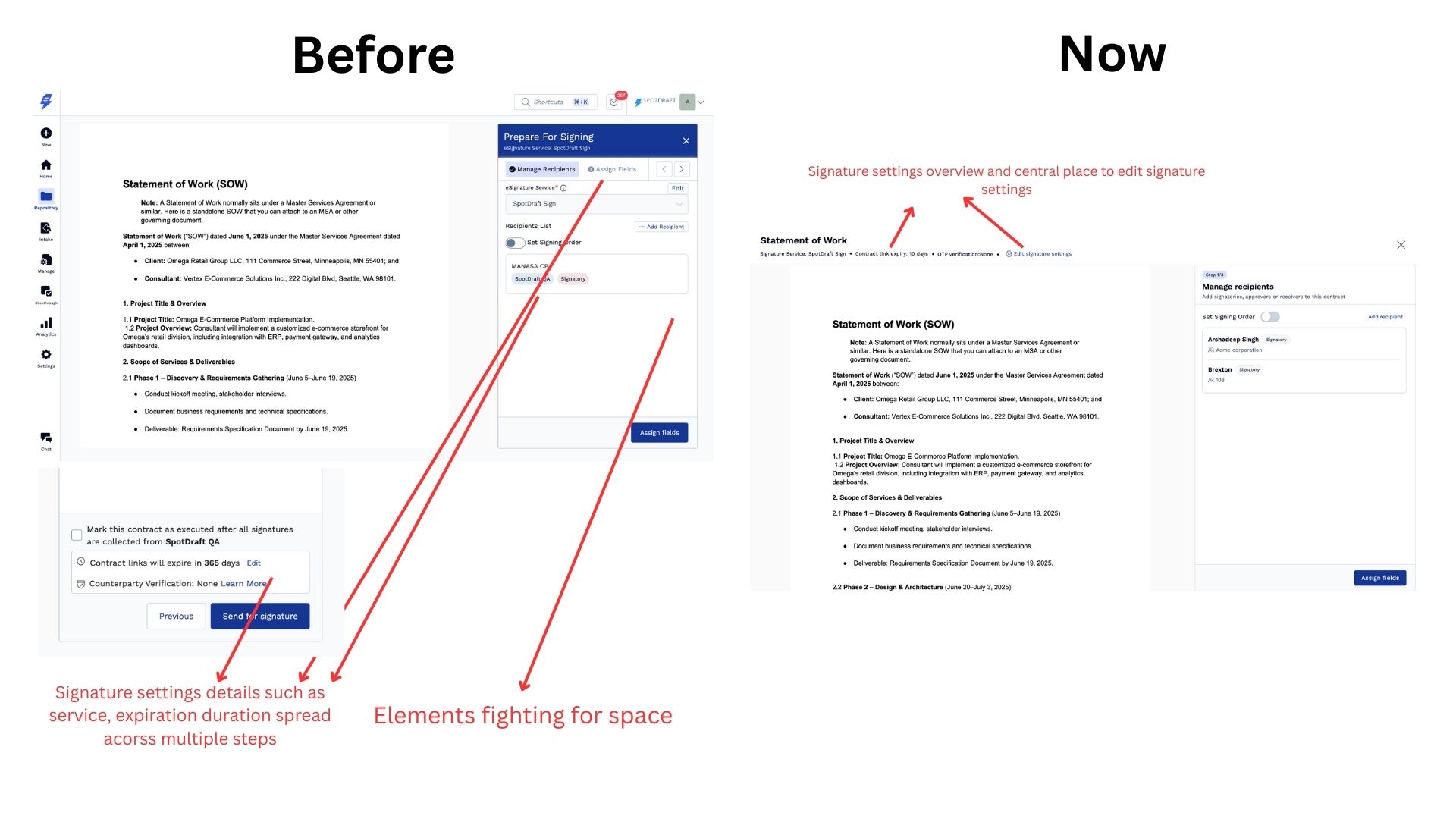
- Signature settings overview :- Users can now easily see key details like link expiration, signature service, and OTP status in one place – no more jumping between multiple steps to confirm signing settings.
- Edit signature settings :- Manage all signature preferences — including signature service, link expiration, and OTP options — from a single Edit signature settings panel. Earlier, these settings were scattered across different parts of the flow; now they’re centralized for faster updates.
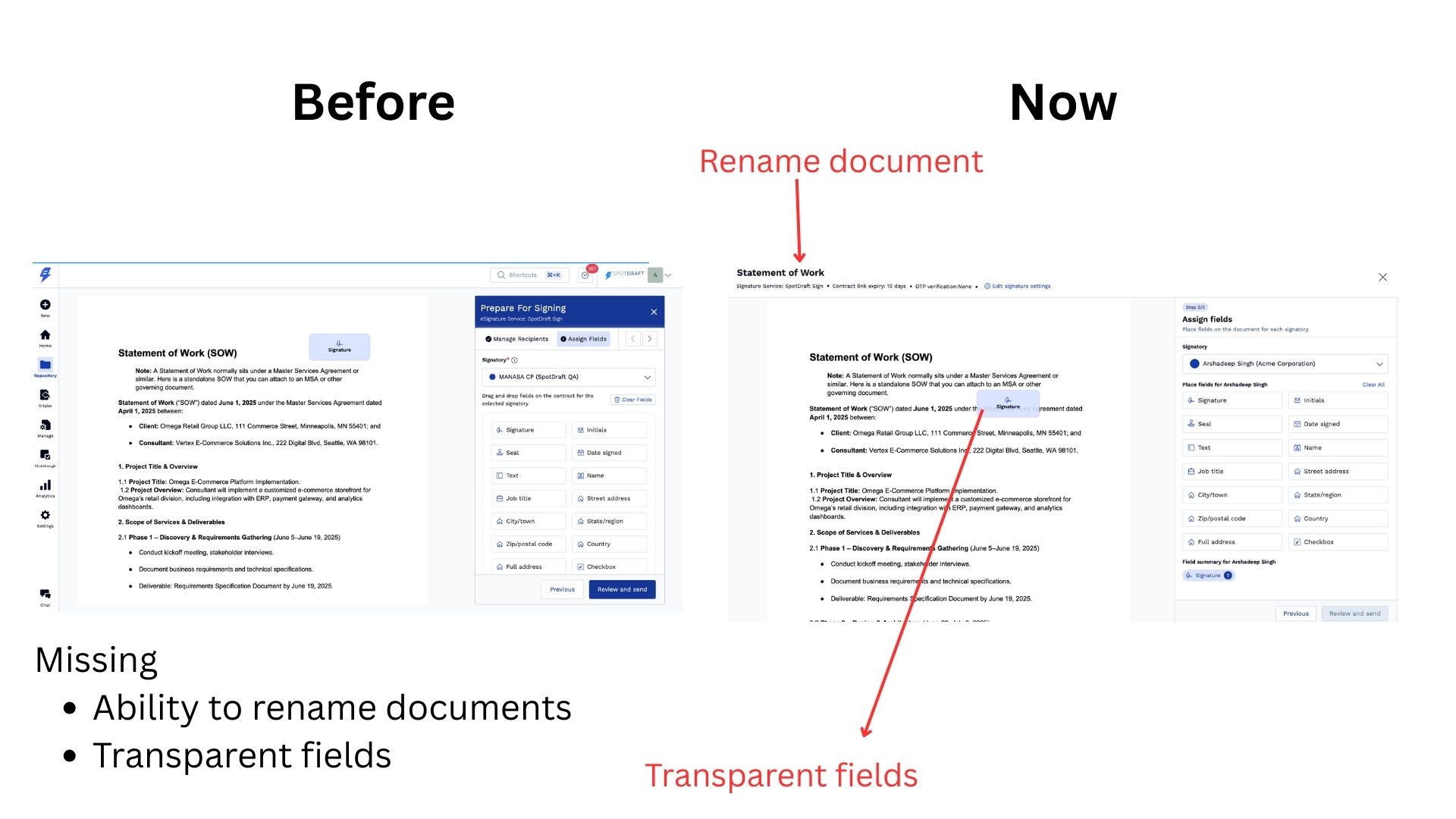
- Rename document in-flow :- Users can now rename the document directly within the Prepare for Sign flow, without leaving the page or switching context.
- UX improvements based on feedback :- We’ve updated the experience with transparent fields, cleaner fonts, and refined colors to make the interface clearer, more consistent, and easier to work with.
- Distraction-free full-page layout :- A focused, full-page layout now gives users more space to review the document and complete all related actions with ease.